Software
Jobber vs Housecall Pro for a small crew
Quick answer
For one user, Jobber Core is cheaper ($49 vs $79 a month, or $29 vs $59 billed annually). For five users, billed annually, both cost $149 a month. Housecall Pro lists route optimization and recurring service plans on Max; Jobber lists two-way texting and job costing on Grow. Prices checked November 4, 2026.
Jobber and Housecall Pro are the two names most small trade businesses hear first when they look for scheduling and invoicing software. Both handle booking, quotes, invoices, payments and a crew app. Both offer a 14-day trial with no credit card. The differences are in how they package features, how many users each plan includes and what they charge on top.
This guide compares them for a small crew, plan by plan, using only what each company publishes on its own pricing page, checked on November 4, 2026. We have not been paid by either company, there are no affiliate links here, and prices change, so confirm them before you buy.
The short answer
- Working alone and watching every dollar: Jobber Core is cheaper to start, at $49 a month without commitment against $79 for Housecall Pro Basic, or $29 against $59 billed annually.
- A crew of three to five: the entry team plans are close in price. Housecall Pro Essentials includes five users for $189 a month; Jobber Connect covers up to five for $199.
- Recurring service plans or route optimization: Housecall Pro lists them on its Max plan.
- Two-way texting and job costing together on a mid plan: Jobber lists both on Grow.
The sections below explain where those answers come from.
Price by team size
Billed monthly, before tax:
| Team | Jobber | Housecall Pro |
|---|---|---|
| 1 user, entry plan | Core, $49 | Basic, $79 |
| Up to 5 users | Connect, $199; Grow, $299 | Essentials, $189 |
| 8 users | Grow for 10 users, $399 | Max, $329 |
| Extra user | $29 a month | $35 a month on Max |
Billed annually, the same rows are $29 and $59 for one user, $149 (Connect) and $149 (Essentials) for five, and $299 (Grow, 10 users) and $299 (Max, 8 users) for larger teams.

Two things stand out. At five users, billed annually, the two are the same price. And Housecall Pro's Max plan includes eight users, so a team of six to eight pays less there than on Jobber's ten-user Grow plan, if Max has the features you need.
Features by plan
Neither company puts the same features at the same level, so here is where the ones small crews ask about most appear:
| Feature | Jobber | Housecall Pro |
|---|---|---|
| Online booking, quotes, invoices, payments | Core | Basic |
| Website | Core | Sold as an add-on |
| QuickBooks Online sync | Connect | Essentials |
| Automatic reminders and follow-ups | Connect | Not listed on the plan table |
| Job costing | Grow | Basic |
| Two-way text messaging | Grow | Not listed on the plan table |
| Employee GPS tracking | Not listed on the plan table | Essentials |
| Route optimization | Not listed on the plan table | Max |
| Recurring service plans | Not listed on the plan table | Max |
| Consumer financing | Not listed on the plan table | Basic |
| Review management | Quotes with reviews on Grow | Basic |
"Not listed" means the feature does not appear in that company's plan comparison as checked; it may exist as an add-on or in another form. If a feature decides your choice, ask the company directly or test it in the trial.
Fees and extras
- Payment processing. Housecall Pro's pricing page lists card processing from 2.59 percent and a 1 percent fee on bank payments. Jobber's pricing page lists card processing at 2.9 percent plus 30 cents. On $20,000 a month of card payments, each tenth of a percentage point is $20 a month.
- Add-ons. Jobber lists an AI receptionist ($29 a month), Pipeline ($49) and Marketing Suite ($99). Housecall Pro lists add-ons such as payroll, accounting, websites and voice, without prices on its pricing page.
- Commitment. Both are cheapest billed annually. Jobber also offers a middle option: a one-year commitment paid monthly.
Onboarding and support
Both companies reserve their most hands-on help for higher plans. Jobber lists dedicated onboarding with premium support on Plus. Housecall Pro lists a dedicated onboarding specialist and escalated phone support on Max. If you have never used this kind of software and do not have time to set it up yourself, that help is worth weighing against the price difference, especially in the first month.
The trials
Both trials last 14 days with no credit card required, and both run on a high plan: Jobber's on Grow, Housecall Pro's on Max. That is generous, and it can mislead. If you test on the top plan and then buy a lower one, features you liked may disappear. Make a note of every feature you use during the trial and check which plan includes it.
The best way to compare is to run both trials in the same two weeks with the same real jobs:
- Load the same ten services and prices into both.
- Schedule the same real week of jobs.
- Send a real quote from each and see how it looks on the customer's phone.
- Take a real payment in each and note the fee.
- Have one crew member use each app for a day and ask which they would rather keep.
Which one for which business
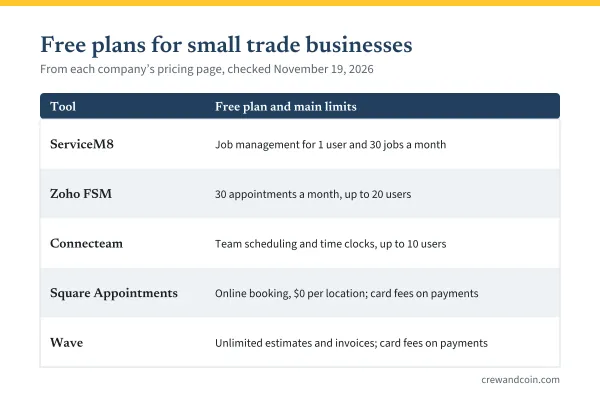
- Solo handyman or cleaner, tight budget: Jobber Core, or the free plan of a per-job tool, covered in the comparison of field service software.
- Owner plus two to four helpers, QuickBooks Online: both entry team plans fit. Billed annually they cost the same, so choose on the trial.
- Six to eight people, recurring maintenance work: Housecall Pro Max lists both eight users and recurring service plans.
- A business that texts customers all day and wants job costing: Jobber Grow lists both.
Whichever you choose, the subscription is overhead. The complete pricing guide shows how to build it into your hourly cost.
What to do next
Write down your team size today and in a year, your accounting system and the three features you cannot do without. Then run both trials with the same real work. For the full breakdown of one side, see the guide to Jobber pricing.
Frequently asked questions
Is Jobber or Housecall Pro cheaper?
For one user, Jobber's entry plan is cheaper. For five users billed annually, both cost $149 a month as of November 4, 2026. For six to eight users, Housecall Pro Max can cost less than Jobber's ten-user Grow plan.
Do Jobber and Housecall Pro have free trials?
Yes. Both offer 14-day trials with no credit card required: Jobber's on the Grow plan and Housecall Pro's on the Max plan.
Which has lower payment processing fees?
Housecall Pro's pricing page lists card processing from 2.59% and a 1% bank payment fee; Jobber's lists 2.9% plus 30 cents per card payment. Check both for current rates before you decide.